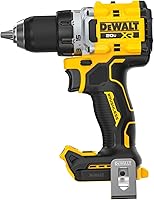
DeWalt DCD771C2 vs DCD777D1: Which Drill Wins? (October 2026)
For DeWalt DCD777D1 vs DCD771C2, choose the DCD777D1 for regular DIY work or the DCD771C2 for projects where a spare battery helps. The first offers a brushless motor; the second includes 2 batteries and a storage bag.
On this page (12 sections)
- DeWalt DCD777D1 vs DCD771C2: what is the main difference?
- Who should buy the DCD771C2, and who should skip it?
- Who should buy the DCD777D1, and who should skip it?
- Which kit makes charging easier during a project?
- Which drill is easier to handle in tight spaces?
- What do the speed, chuck and output figures mean?
- What jobs suit these drill drivers, and when should you choose another tool?
- How should you set up either drill for the first job?
- What mistakes cause poor holes or damaged screws?
- How do you care for the drill and batteries?
- Is the DCD777B a useful alternative?
- Which DeWalt drill should you choose?
Choose the DCD777D1 for regular DIY work or the DCD771C2 for project days when a spare battery helps. In this DeWalt DCD777D1 vs DCD771C2 comparison, the most useful distinction is the drill's motor versus the equipment included with it.
The DCD777D1 gives you a brushless motor and a delayed work light. The DCD771C2 gives a first-time buyer a kit with a spare pack and a bag to keep the equipment together.
Start with the jobs you actually do: occasional repairs, several hours of drilling and fastening, or additions to an existing tool collection. That makes the choice clearer than chasing the largest number on a specification chart.
 Best for weekend project days
DeWalt DCD771C2 20V MAX XR Drill Driver Kit

DeWalt DCD777D1 vs DCD771C2: what is the main difference?
The DCD777D1 favors motor features, while the DCD771C2 favors kit convenience. Both cover general drilling and screwdriving, so your buying decision should begin with how often you work and what equipment you already have.
The DCD771C2 includes 2 batteries, a charger and a storage bag. The DCD777D1 includes a 2.0 Ah battery and charger, with a brushless motor that DeWalt says delivers more runtime than brushed motors.
That motor claim is useful when choosing a design, but it doesn't tell you how many holes either complete kit will drill. Bit size, material, pressure and battery condition all affect the work you get from a charge.
If you are comparing DeWalt's battery families more broadly, see DeWalt 20V MAX vs XR. Choose by the exact model and kit contents rather than the most prominent wording in the name.
DCD777D1 vs DCD771C2: which difference matters to you?
Choose around your most common interruption: running out of charge, struggling to see a screw, or buying equipment you already own. Each points toward a different feature.
A spare pack helps with charging breaks, while a work light helps inside cabinets and other dim areas. Existing compatible batteries can make a bare drill worth considering instead of either full kit.
Who should buy the DCD771C2, and who should skip it?
The DCD771C2 suits first-time buyers planning household repairs and weekend projects. Its kit makes sense when you want to gather the drill equipment in one place and have another battery ready before starting.
Think of a project day with several separate tasks: assembling furniture, drilling pilot holes and attaching shelf brackets to suitable supports. A charged spare gives you a simple swap when the battery in use runs low.
The bag also gives the drill, charger and packs a shared storage spot. Store sharp bits in a suitable holder so they don't damage other items or become loose hazards inside the bag.
Skip this kit if a confirmed brushless motor is your main requirement. The DCD777D1 directly meets that preference, so there's no reason to choose the DCD771C2 and hope its motor has the same design.
Also reconsider a complete kit if your current equipment already covers batteries and charging. Our best DeWalt drills guide helps place these choices alongside other DeWalt options.
Who should buy the DCD777D1, and who should skip it?
The DCD777D1 suits regular DIY users who want a brushless drill with a starter battery and charger. It's the more direct choice if motor design matters more to you than having a spare in the box.
Its LED stays on for 20 seconds after trigger release. That helps you inspect a screw head or line up the next hole without keeping the bit turning just to illuminate the work.
Choose it for a pattern of frequent, manageable jobs rather than assuming you need the largest kit. You can plan charging between tasks when most of your work consists of short repairs or assembly sessions.
Skip it if you need a spare pack ready from the start and don't want to buy one separately. A single included battery requires more attention to charging before a longer session.
The separate DCD777D1 drill driver review covers this set on its own. For more on the motor choice, read brushless vs brushed cordless drills.
Which kit makes charging easier during a project?
The DCD771C2 offers more flexibility during charging, provided you begin with both packs charged. Use one and keep the other ready, then recharge the depleted pack according to the charger's instructions.
This arrangement is useful when your work includes natural pauses for measuring, marking and changing materials. It doesn't guarantee uninterrupted drilling if you use batteries faster than the charger can replenish them.
For the DCD777D1, build charging into your preparation. Put the battery on its charger before gathering bits and hardware, rather than discovering a low charge after the workpiece is clamped.
Battery capacity describes stored charge, not a fixed number of completed jobs. A small pilot hole and a large hole in dense wood place very different demands on a drill.
Don't buy around a guessed runtime figure. Decide whether you prefer a spare available now or a motor feature that fits your longer-term use.
Which drill is easier to handle in tight spaces?
Both drills have compact designs intended for tight areas, but grip and working clearance matter more than comparing unmatched weight figures. Plan around the drill, attached battery, bit length and your hand.
The supplied weights are 3.6 lb for the DCD771C2 and 5.1 lb for the DCD777D1 set. Those figures don't establish the same ready-to-use configuration, so they aren't a sound basis for declaring one easier to hold.
For a cabinet repair, check whether you can align the bit straight with the screw while leaving room for your knuckles. A drill that fits sideways still won't help if it forces you to drive at an angle.
Long bits can solve a reach problem but also increase the room needed behind the screw. Use the shortest suitable bit or holder that gives safe, straight access.
For overhead work, position a stable work platform so you aren't reaching at full stretch. Keep the drill close enough to control, and move your stance instead of leaning farther as the job progresses.
What do the speed, chuck and output figures mean?
Both models offer 2 speed ranges and a 1/2 in ratcheting chuck. These are useful shared features, so they are less important to the buying decision than the motor and kit differences.
The DCD771C2 provides 0–450 rpm in its low range and up to 1,500 rpm in its high range. In general, lower gearing helps with controlled screwdriving and more demanding cuts, while higher gearing suits appropriate smaller drilling tasks.
Choose speed for the bit and material, following the bit maker's guidance. A larger bit usually needs a slower approach than a small pilot bit, and pressing harder won't correct an unsuitable speed.
The chuck size describes the maximum shank diameter it accepts, not the largest hole you should attempt. Use bits suited to both the drill and the material.
The output figures are 300 UWO for the DCD771C2 and 340 UWO for the DCD777D1. The higher figure supports choosing the DCD777D1 when output matters, but it isn't a promise about every drilling task.
DeWalt backs both with a 3-year limited warranty. The DCD771C2 drill driver review gives more detail on that kit.
What jobs suit these drill drivers, and when should you choose another tool?
Choose either model for general drilling and screwdriving with suitable bits. Examples include furniture assembly, pilot holes in wood and attaching hardware where the material and fastener call for a drill driver.
For a first drill, focus on the work material before buying accessories. Wood bits, metal bits and screwdriving bits serve different jobs, even when their shanks fit the same chuck.
Don't choose either kit specifically for repeated concrete drilling. Concrete work can require a hammer drill or rotary hammer, depending on the hole and material.
Long structural screws and repeated heavy fastening may also call for a different tool. Our drill vs impact driver guide explains when a separate impact driver makes sense.
If the terms are still unfamiliar, start with what a drill driver is. Understanding the tool's role prevents buying a larger kit to solve a job it isn't suited to.
How should you set up either drill for the first job?
Start with a charged battery, the correct bit and a secured workpiece. Read the drill's instructions before use, and remove the battery whenever you install or remove a bit.
Open the chuck, center the bit's shank between the jaws and tighten it securely. Keep the jaws on the shank, not on cutting flutes, and avoid gripping only the very end.
Fit a driver bit that matches the screw's head and size. A loose fit makes slipping more likely and can damage the head before the screw is seated.
Select the gear range with the drill stopped. For screwdriving, start with a low clutch setting and increase it as needed on scrap material similar to your project.
For drilling, select the drilling mode described in the manual and choose an appropriate speed. Mark the hole, clamp the work and use backing material when it will help support the exit side.
Wear eye protection and check for hidden wires or pipes before drilling into walls. Our guide to using a cordless drill explains the controls and basic technique in more detail.
What mistakes cause poor holes or damaged screws?
The most avoidable mistake is using force to compensate for the wrong bit, speed or alignment. Correct the setup first, because extra pressure can make a slipping bit or stalled cut worse.
Keep the driver bit straight in the screw head and begin slowly. As the screw approaches its final position, ease off rather than continuing at full trigger speed.
Use a suitable pilot hole when the wood, screw size or distance from an edge calls for one. It can reduce splitting and make the screw easier to guide.
For repeated screws, adjust the clutch on scrap before working on the finished piece. Recheck the setting when you change screw size or move to a different material.
If a drill bit binds, release the trigger and stop. Remove the battery before freeing a stuck bit or inspecting the chuck, and secure the work before continuing.
Clear chips as the bit's instructions require, rather than forcing a clogged cut. A dull or damaged bit needs attention even when the battery is fully charged.
How do you care for the drill and batteries?
Keep the vents, chuck and battery contacts clean and dry, and store the equipment where it won't face moisture or extreme temperatures. Remove the battery before cleaning or inspecting the tool.
Brush away loose dust and follow the manual's cleaning instructions. Don't push debris into vents or spray liquid into the drill, charger or battery.
Inspect bits before each job for bent shanks, chipped edges or worn driver tips. Damaged accessories can spoil work and put extra strain on the tool.
Let a hot tool or battery cool before continuing as directed by its instructions. Repeated stalling is a reason to reassess the bit, material or tool choice.
Keep batteries away from loose metal objects that could bridge their contacts. Use compatible charging equipment and stop using a pack that is damaged or behaving abnormally.
Is the DCD777B a useful alternative?
The DCD777B suits buyers who already have a compatible battery and charger. It comes as a tool only, so a first-time buyer must add those essentials separately.
Its brushless design measures 7.52 in from front to back, which is useful when checking access into a confined work area. It also has a delayed LED for visibility.
Choose it when replacing a drill or expanding compatible equipment makes more sense than buying another charger. Confirm compatibility with your exact batteries before ordering.
Skip it if you want a ready-to-start kit. Its lower score here reflects that extra buying step for this comparison's starter-kit shopper.
Which DeWalt drill should you choose?
For DeWalt DCD777D1 vs DCD771C2, choose according to your next few projects and existing equipment. Write down whether you need a complete starter setup, a spare for project days or a brushless drill for regular use.
Pick the DCD771C2 if charging interruptions are your main concern and you want the kit organized together. Pick the DCD777D1 if you prefer its motor design and work light, and one included pack fits your routine.
If you already have a compatible battery and charger, compare the tool-only DCD777B before adding another complete kit. For a closer look at the two-battery option, read the DCD771C2 review.
Frequently asked questions
Is the DCD777D1 better than the DCD771C2?
The DCD777D1 is the better fit for regular DIY work if you want a brushless motor and a delayed LED light. Choose the DCD771C2 when a complete kit with a spare battery matters more.
Its second pack helps you plan around charging during longer project days.
Does the DCD771C2 have a brushless motor?
Choose the DCD777D1 if you specifically want a brushless motor. The DCD771C2 has a high-performance motor, but brushless construction isn't specified for it.
DeWalt says the DCD777D1's brushless motor provides more runtime than brushed motors; that claim does not establish a measured runtime difference between these kits.
How many batteries come with each drill?
The DCD771C2 includes 2 batteries, a charger and a storage bag. The DCD777D1 includes 1 battery with a 2.0 Ah capacity and a charger.
A spare pack lets you swap batteries during a job, although charging speed and your workload determine how much that reduces downtime.
Can I use the DCD777B in this comparison?
Consider the DCD777B if you already have a compatible battery and charger. It is a separate tool-only option, so it does not replace either starter kit for a buyer with no batteries.
Check your existing equipment's compatibility before choosing it as an addition or replacement drill.