Cordless Drills for Home Use: The Complete Buying Guide
A cordless drill with variable speed, an adjustable clutch and a comfortable grip suits most home repairs. Choose a drill-driver first, then consider a combo kit if you regularly drill holes and drive screws in the same project.
On this page (13 sections)
- What should you look for in a cordless drill?
- Is a 12V or 20V drill better for home use?
- What chuck size do you need?
- Do you need a drill-driver or an impact driver?
- Which cordless drill fits your home projects?
- How do you choose a battery and charger?
- What can a cordless drill do around the house?
- How should you set up a cordless drill for the first job?
- Which common mistakes cause poor results?
- How do you care for a cordless drill and its battery?
- How should you compare cordless drill models before buying?
- What safety steps should you follow?
- Which cordless drill should you choose?
A cordless drill with variable speed, an adjustable clutch and a comfortable grip is the right starting point for most home repairs. Match its chuck, battery setup and drilling capacity to the work you actually plan to do.
Furniture assembly, shelf installation and building a planter place different demands on a tool. Your best choice depends on the material, hole size and number of fasteners, plus how comfortably you can hold the drill.
Start with a drill-driver if you want one tool for holes and screws. Consider a combo kit when your projects regularly involve both tasks.
This guide explains how to choose, where these four kits fit and how to avoid common mistakes. For a shorter shortlist, see our best cordless drills for home use.
What should you look for in a cordless drill?
Prioritize control, suitable bit capacity and a workable battery setup. A tool that fits your hand and your jobs is a better choice than one bought for a large headline number.
| Feature | Why it matters | Buying decision |
|---|---|---|
| Chuck size | Limits the bit shank size you can fit | Check your largest planned bit shank |
| Variable speed | Helps you start holes and screws accurately | Look for control at low trigger pressure |
| Adjustable clutch | Helps limit screwdriving torque | Useful for furniture, hardware and softer wood |
| Gear ranges | Let you match speed to the task | Favor two ranges for varied drilling and driving |
| Grip and balance | Affect control during awkward work | Consider the tool with its battery attached |
| Battery contents | Determine what you can use immediately | Check for a compatible battery and charger |
| Work light | Illuminates the area near the bit | Useful inside cabinets and closets |
Which cordless drill features matter most?
Low-speed control and secure bit fit matter on nearly every household job. Extra power does little for cabinet hardware if the driver bit slips or the screw sinks below the surface.
A variable-speed trigger lets you ease into a hole or start a screw slowly. A gearbox changes the available speed range, so it serves a different purpose from trigger control.
The clutch limits driving torque by slipping at a chosen setting. Start low on scrap or a hidden area, then increase only until the screw seats correctly.
Clutch numbers are relative settings on that drill, not fixed torque values you can copy between models. A setting that works for a long wood screw may damage a small furniture fastener.
Start with your next three projects
Write down the material, hole size and fastener type for your next three jobs. That gives you a useful shopping brief without buying around distant possibilities.
For furniture assembly, control and bit fit come first. For shelves, identify the wall construction and fixing system before deciding which drill or bit you need.
For a planter or other wood project, consider the largest hole and how often you'll alternate between drilling and driving. Repeated tasks can make a spare battery or second tool more useful than extra accessories.
Is a 12V or 20V drill better for home use?
Either voltage can suit household work, but compare individual tools rather than treating voltage as a power ranking. Capacity, gearing, motor design and battery choice all affect what a drill can do.
A compact 12V drill can be a practical choice for small repairs and assembly. A suitable 20V drill can cover a broader workload, but check handling before accepting extra bulk.
Voltage also identifies part of a battery system. It does not establish compatibility between brands or between every tool carrying a similar number.
Runtime depends on battery capacity, material, bit size and how hard the motor works. Drilling large holes uses energy differently from installing a few drawer handles.
If you already own cordless tools, check their exact battery platform before choosing another kit. Read our 12V vs 20V cordless drill guide for a closer comparison.
What chuck size do you need?
Choose a chuck that accepts your bits' shanks, then check the drill's capacity for the work. Chuck capacity and hole diameter are separate measurements.
A 1/2 in chuck accepts larger shanks than a 3/8 in chuck. However, a large cutting head can have a smaller shank, so fitting the bit does not prove the drill can drive it safely.
Many household pilot holes and screwdriving tasks use small shanks. You don't need a larger chuck simply because the drill will be used around the house.
A keyless chuck tightens by hand, while a ratcheting design helps secure the bit when properly tightened. Center the shank between all three jaws rather than trapping it against one jaw.
Avoid gripping a drill bit by its fluted cutting section. Insert enough straight shank for a secure hold, following the tool and bit instructions.
Buy bits for the material
Choose wood, metal or masonry bits for their intended material, rather than treating a large assortment as universal. Driver bits must also match the screw head's shape and size.
A bit that almost fits can still chew up a screw head. Replace worn driver tips instead of adding pressure to compensate for slipping.
For visible woodwork, a clean entry and controlled exit matter more than accessory count. A suitable sharp bit and a backing board can help reduce splintering.
Do you need a drill-driver or an impact driver?
A drill-driver is the better first tool for most households because it drills holes and drives screws with adjustable control. An impact driver earns its place when fastening becomes a regular part of your projects.
A drill-driver commonly holds round-shank and hex-shank bits in a three-jaw chuck. An impact driver commonly accepts compatible 1/4 in hex accessories in a quick-change holder.
Impact drivers apply rotational impacts when resistance rises. That action helps with demanding fastening, but it calls for care around small screws, delicate hardware and easily damaged surfaces.
For furniture fittings, start with the drill's clutch or a manual screwdriver. Use impact-rated accessories in an impact driver and confirm that any adapter suits the task.
Our drill vs impact driver guide explains how their roles differ.
When does a combo kit make sense?
A combo kit makes sense when you regularly alternate between pilot holes and screws. Keeping each tool ready avoids repeated bit changes during projects such as assembling wood frames.
The DeWalt DCK240C2 includes a DCD771 drill-driver, a DCF885 impact driver, 2 batteries, a charger and a contractor bag. Its drill delivers up to 300 UWO, while the impact driver delivers up to 1,400 in-lb of torque.
Both tools have compact designs and LED work lights with a 20-second delay. The impact driver's 1/4 in hex chuck supports one-handed loading of compatible 1 in bit tips.
Choose this kit for projects with repeated drilling and fastening steps. The two tools serve different roles, and the battery pair lets you equip both rather than move one battery between them.
Skip it if your main jobs are occasional flat-pack assembly or replacing cabinet pulls. You'll have a second tool to store without much benefit if a single drill can handle the work comfortably.
Don't compare the drill's UWO figure directly with the impact driver's torque figure. They measure different things and do not show that one tool is universally stronger.
Which cordless drill fits your home projects?
Choose the DCD771C2 for a drill kit with a spare battery, the DCD777D1 for a brushless motor, or the Black+Decker kit for a starter accessory assortment. Each serves a different buying need.
DeWalt DCD771C2 20V MAX XR Drill Driver Kit
The DCD771C2 suits buyers who want one drill and a second battery ready for longer projects. Its kit includes 2 batteries, a charger and a storage bag.
The motor delivers up to 300 UWO, with speed ranges of 0–450 and 0–1,500 rpm. The lower range supports controlled fastening, while the higher range gives you another option for suitable drilling tasks.
Its compact design helps with access in tight areas. Still, allow room for the bit, your hand and the fastener rather than judging access from the drill body alone.
Choose it if you expect to move between assembly, pilot holes and general repairs without needing a separate fastening tool. A spare battery is useful when you want to continue while another pack charges.
Skip it if a brushless motor is a firm priority. If repeated screwdriving is your main project bottleneck, compare it with the DeWalt DCK240C2 Drill and Impact Driver Combo Kit.
DeWalt DCD777D1 20V MAX Drill Driver Set
The DCD777D1 suits buyers who want a brushless drill for regular DIY work. It pairs a two-speed transmission and 1/2 in single-sleeve ratcheting chuck with a 2.0 Ah battery and charger.
DeWalt says the brushless motor provides more runtime than a brushed motor. That is a reason to consider it for repeated use, though actual time between charges still depends on the work.
The drill has an ergonomic grip and an LED light that stays on for 20 seconds after trigger release. The light can help you locate a screw or inspect a hole inside a cabinet.
Choose it if motor efficiency matters more to you than receiving a second battery in the kit. It also fits buyers planning around compatible DeWalt 20V MAX tools.
Skip it if your main need is an accessory-filled first kit, or if you want two batteries immediately. For the tradeoffs between these drill kits, see DeWalt DCD771C2 vs DCD777D1.
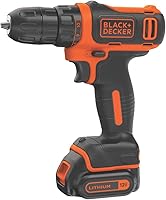
Black+Decker 20V MAX POWERCONNECT Drill Kit with 100-Piece Bit Set
The Black+Decker kit suits first-time buyers handling small repairs and assembly who also need bits and accessories. Its assortment includes drilling and driving bits, nut drivers, sockets, a ratcheting screwdriver and a storage case.
The drill has a 10 mm chuck, a maximum speed of 650 rpm and a soft-grip handle. Its 24-position clutch helps you adjust screwdriving control for different fasteners and materials.
The included POWERCONNECT battery works with compatible tools in that system. This is useful if your future tool choices also fit that platform.
Choose it if gathering a basic household tool assortment is part of the purchase. The separate ratcheting screwdriver is useful for final turns on fittings that need careful control.
Skip it if you already own a useful bit collection and want a faster drilling option. A large accessory count should not outweigh the drill's speed, chuck capacity or suitability for your projects.
The included masonry bits do not establish hammer capability. Choose the drilling method around the wall material, not the contents of the accessory case.
How do you choose a battery and charger?
Choose exact platform compatibility first, then decide how much capacity and how many batteries you need. Similar voltage labels do not make different battery systems interchangeable.
A bare tool requires a suitable battery and charger you already own or buy separately. A complete kit is usually simpler for a first tool, provided its contents match your needs.
Amp-hours describe battery capacity, not motor strength. Within the same voltage platform, a higher-capacity pack generally stores more energy, but the extra size or weight can affect handling.
For occasional repairs, one battery may be enough. For longer sessions, a spare gives you another way to keep working without carrying a larger pack on the tool.
Brushless motor or extra battery?
Choose brushless for motor efficiency and a spare battery for continuity. These solve different problems, so decide which one affects your projects more often.
A brushless motor avoids the brush contact used in a brushed design. It does not remove the need for a charged battery, sharp bits or sensible feed pressure.
A second battery helps when a session exceeds one charge, provided you have time and a suitable place to recharge. It does not increase the drill's material capacity.
Our guide to brushless versus brushed cordless drills explains when that motor choice deserves priority.
What can a cordless drill do around the house?
A cordless drill can make suitable holes and drive compatible screws in wood, metal, plastic and some masonry applications. Match the bit and settings to each material.
| Job | What matters most | Common mistake |
|---|---|---|
| Furniture assembly | Correct driver tip and gentle torque | Overdriving into particleboard |
| Cabinet hardware | Accurate marks and clean holes | Drilling before checking spacing |
| Wood projects | Pilot holes and suitable bits | Splitting wood near an edge |
| Metal brackets | Secure clamping and suitable speed | Letting the workpiece spin |
| Shelf installation | Correct fixings for the wall | Choosing anchors before identifying the surface |
For repeated hardware holes, use a guide or template and check the first result before continuing. Measure the hardware itself rather than assuming every replacement has the same spacing.
For wood screws near an edge or end, a suitable pilot hole can reduce splitting. Follow the screw or fixing maker's guidance for the pilot size.
When drilling metal, clamp the work and use a suitable bit at the recommended speed. A spinning scrap of metal can injure you even when the hole is small.
Brick and concrete need a separate decision
Identify the masonry before choosing the tool. A standard drill-driver is not a substitute for the hammer drill or rotary hammer that a demanding hole may require.
Brick, mortar and concrete place different demands on bits and tools. Hole diameter and depth also affect the equipment you need.
See whether a cordless drill can drill into concrete and our guide to when you need a hammer drill at home before buying for masonry.
How should you set up a cordless drill for the first job?
Start with the right bit, secure work and a low setting. A short practice run on matching scrap helps you choose settings before touching the finished piece.
- Prepare the work. Mark the hole or screw position, support the material and clamp small pieces.
- Disconnect the battery. Open the chuck and insert the correct bit straight between the jaws.
- Secure the bit. Tighten the chuck as instructed, keeping the jaws on the straight shank.
- Choose the range and mode. Use the manufacturer's guidance, and change gears only with the motor stopped.
- Reconnect and check direction. Confirm forward rotation for ordinary drilling and driving.
- Start slowly. Keep the bit aligned and increase speed only as the task allows.
For screwdriving, begin with a low clutch setting and raise it in small steps until the head seats. Finish delicate furniture fittings by hand if powered driving makes control difficult.
For drilling, use the drill mode specified in the manual. Keep a firm grip and stop if the bit binds rather than forcing the trigger.
As a bit approaches the far side of wood, reduce feed pressure. A backing board can support the exit surface and help limit splintering.
For a fuller explanation of the controls, read our guide to using a cordless drill.
Which common mistakes cause poor results?
The most common mistakes are using the wrong bit, applying too much force and leaving the tool on an unsuitable setting. Correct those before assuming you need a different drill.
Using maximum speed for every task
Start holes and screws slowly enough to keep the bit on target. High speed can make a driver tip slip before the screw has started.
Large bits and metal work often call for lower speeds than small holes in wood. Follow the bit maker's guidance rather than choosing speed by habit.
Forcing a dull bit
More pressure does not restore a worn cutting edge. Check the bit's condition and direction of rotation if it rubs, heats up or makes little progress.
Let the cutting edges work without stalling the motor. Stop and clear chips as appropriate for the bit and material, with the tool stopped before you touch the bit.
Confusing a drill with a fixing system
A hole alone does not make a secure shelf mounting. The anchor, screw, wall material and intended load must work together.
Follow the fixing maker's hole size and depth instructions. If a hole becomes oversized or the surface crumbles, resolve that problem before attaching the shelf.
Ignoring access until the last screw
Allow space for the tool, bit and your hand before starting assembly. A screw accessible at the beginning may become blocked when another panel is fitted.
Work out the assembly order first. A manual screwdriver can be the better choice for a final fastener in a narrow gap.
How do you care for a cordless drill and its battery?
Keep the tool clean, dry and stored within the manufacturer's temperature limits. Good care also means stopping when something changes instead of pushing through a fault.
Remove the battery before cleaning or inspecting the drill. Clear surface dust and ventilation openings with a soft brush or cloth, and keep liquid out of the housing.
Wipe bits before storage and replace damaged or worn ones. A clean, sharp accessory reduces the temptation to compensate with extra force.
Use only an approved compatible charger. Let a hot battery cool as instructed before charging, and keep battery terminals away from loose screws, keys and other metal objects.
Don't deliberately run a lithium-ion battery flat before every charge. Follow the manufacturer's storage guidance when the tool will sit unused for a long period.
Stop using a battery that is damaged, swollen, leaking or unusually hot. Follow local battery disposal guidance rather than putting it in household trash.
How should you compare cordless drill models before buying?
Compare the complete kit against your actual work, including accessories and batteries you already own. A useful purchase avoids both missing essentials and duplicate items you won't use.
Use this final checklist:
- Name the hardest job you expect the drill to handle.
- Confirm suitable bits, chuck capacity and material capacity.
- Decide whether repeated fastening justifies an impact driver.
- Check the exact battery platform and charger contents.
- Compare handling with the battery size you plan to use.
- Allow for any project-specific bits or fixings beyond the kit.
Weight deserves care because figures can describe different configurations. Consider the complete tool you'll hold, especially for overhead work or repeated cabinet installation.
Likewise, distinguish power output, torque and speed. Those figures describe different aspects of a tool and cannot replace a capacity check for your chosen bit and material.
For a more detailed buying sequence, read how to choose a cordless drill.
What safety steps should you follow?
Use a cordless drill with eye protection, secured work and a safe drilling location. Follow the tool, bit and fixing instructions, including any required dust control or hearing protection.
Clamp small workpieces instead of holding them in your hand. Keep hair, loose clothing and jewelry away from rotating parts, and don't wear loose gloves near a rotating chuck.
Before drilling into a wall, establish where wiring and pipes run and isolate affected services as appropriate. Don't drill where you cannot establish a safe location.
Keep a firm grip because a bit can catch suddenly. Use an auxiliary handle if the tool requires one, especially for demanding drilling.
Release the trigger if the bit catches or the work moves. Wait for rotation to stop, then disconnect the battery before clearing a jam or making adjustments.
Which cordless drill should you choose?
Choose your cordless drill around the work you'll repeat, then confirm the kit fills the gaps in your tools. A second tool, spare battery and accessory assortment each earn their place for different reasons.
Pick the DCK240C2 combo for projects that repeatedly switch between holes and screws. Choose the DCD771C2 when one drill is enough and having a spare battery matters.
Choose the DCD777D1 when you want a brushless drill and can work with the included battery setup. Pick the Black+Decker kit when small repairs and building a starter accessory collection are your priorities.
Before ordering, identify the bits and fixings for your first project. That step turns a drill purchase into a kit you can put to use.
Compare our best cordless drills for home use for a focused shortlist, or browse the wider cordless drills for home use category.
Frequently asked questions
What cordless drill is best for home use?
A drill-driver with variable speed, an adjustable clutch and a comfortable grip is the best starting point for most homes. Choose the DCD771C2 if you want a spare battery in the kit, the DCD777D1 for its brushless motor, or the Black+Decker kit if you also need an accessory assortment.
Is a 12V or 20V cordless drill better for home use?
Either can suit home use, but choose by workload and handling rather than voltage alone. A compact 12V model can suit assembly and small repairs, while a suitable 20V model can cover broader projects.
Compare the actual drill's capacity, speed ranges and weight with a battery attached.
Do I need a 1/2 inch chuck?
You need a 1/2 in chuck when your chosen bits have shanks too large for a smaller chuck. Many household tasks use bits that fit a 3/8 in chuck.
Check shank size separately from hole diameter, and confirm that the drill can handle the bit in your chosen material.
Should I buy a drill and impact driver combo?
Buy a combo if you regularly alternate between pilot holes and screwdriving, or drive enough fasteners to use a separate tool. Keeping a drill bit in one tool and a driver bit in the other saves repeated changes.
For occasional assembly and repairs, a drill-driver alone is usually enough.
What features should a home cordless drill have?
Prioritize variable speed, an adjustable clutch, a secure chuck and a grip you can control comfortably. Then check battery and charger contents, speed ranges and material capacity.
A work light helps inside cabinets, while a spare battery is useful when a project continues beyond a single charge.